Some donors give on the condition that nobody knows it was them. Turn on the anonymous guest for your event, and a manager can record their pledge as “Anonymous” from their phone. It counts toward the total like any other pledge, the big screen shows “Anonymous”, and no name is kept with it.
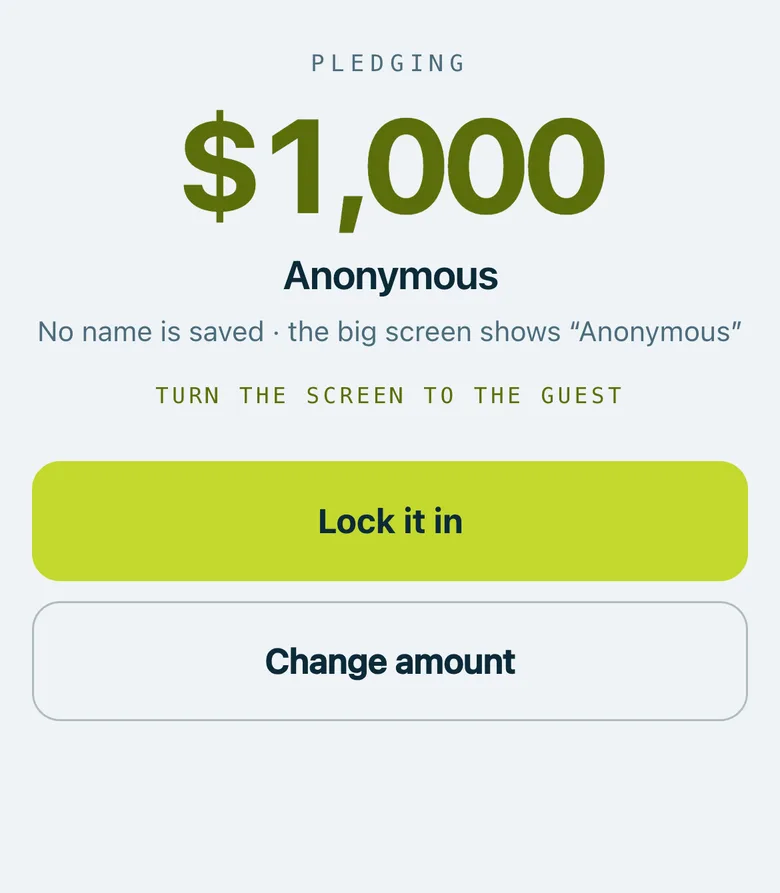
A manager's phone turned to the donor: $1,000 pledged as Anonymous, “No name is saved · the big screen shows Anonymous”, and Lock it in.
Real screenshots of Paddlit, taken with a made-up organisation, Maple & Main Children's Fund.
Turning it on
Each event has an Anonymous guest switch in its settings, under Pledge capture. It's off unless a manager or owner turns it on. Turning it off later stops new anonymous pledges and keeps the ones already recorded.
Recording one
Record as Anonymous. On the pledge screen, managers and owners have a Record as Anonymous button under the guest search.
Straight to the amount. There's no name to read out, so it skips the check of who the guest is and goes to How much?, with the same preset amounts and keypad.
Turned to the donor. The confirm screen shows the amount and “Anonymous”, and says that no name is saved and the big screen shows “Anonymous”. One tap locks it in.
Volunteers who collect pledges don't see the button, and Paddlit refuses an anonymous pledge from anyone but a manager or owner.
Where it shows
The total. It counts toward the event's total and the goal like any other pledge.
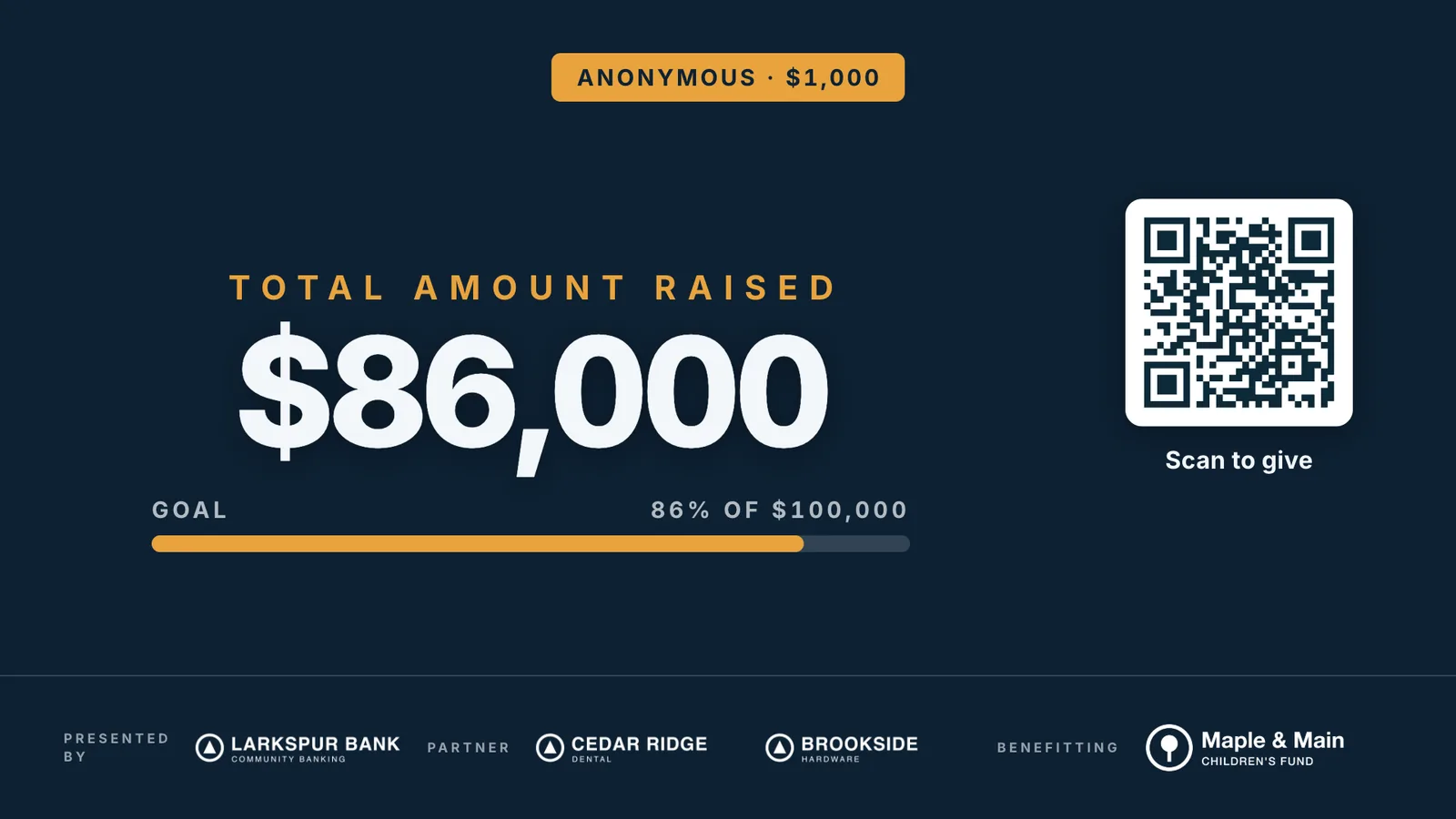
The big screen. The new-pledge flash, if you have it on, says “Anonymous” with the amount.
The pledge list. Managers see it as Anonymous, with no bidder number and the name of whoever took it. They can change or void it like any other pledge, and it's in the pledges spreadsheet.
The event's report. It counts in the money raised from pledges, and when it's one of the biggest it's listed as “Anonymous” among the top supporters.
Never a guest, never a donor
Paddlit keeps one anonymous guest for each event, named only “Anonymous”, with no email, phone, bidder number or table. It isn't on the guest list or at the door, doesn't count toward your guest numbers, and never gets a message, a reminder or a wallet card.
It isn't a donor either: it's left out of the donor list, donor profiles, year-end statements and the donor spreadsheet, and the report's count of new and returning donors.
After the night it's on Collecting pledges with everyone else, so a manager can mark cash or a cheque as paid.
The big screen as the pledge lands: “Anonymous · $1,000” above $86,000 raised, 86% of a $100,000 goal.
In practice
How it plays out
A donor asks to stay anonymous
During the appeal, a guest tells the event manager they'll give $1,000 if nobody knows it was them.
The manager taps Record as Anonymous on their phone, taps $1,000 and shows the donor the screen.
The manager locks it in. The big screen counts up and flashes “Anonymous · $1,000”.
An envelope at the end of the night
Someone hands a volunteer an envelope with a cheque and a note: no name, please.
The volunteer passes it to a manager, who records it as Anonymous so it counts in the night's total.
The next morning, the manager marks it paid by cheque on Collecting pledges.
See your next fundraising night on Paddlit
Sign-ups open soon. Book a demo and we'll show you around.