Your volunteers are there for one night. The app keeps up with them.
Invite your volunteers, give each one a job, and they sign in with a six-digit code: no passwords, no app to install. Each role sees one job per screen, and on a shared tablet the next volunteer takes over with their own PIN, so everything is under the right name.
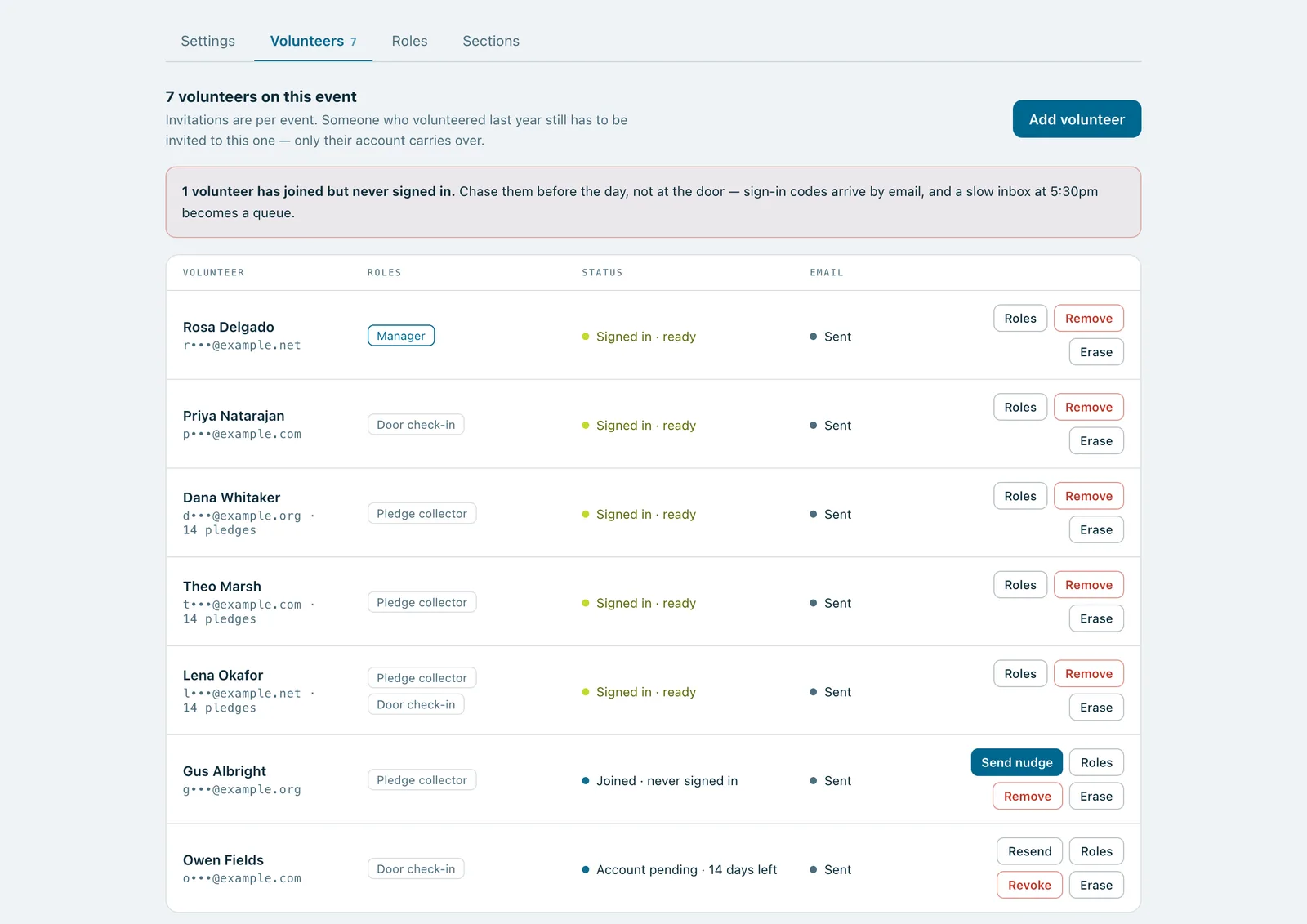
An event's volunteers with their roles, who has signed in, and a reminder to nudge the one who hasn't.
Real screenshots of Paddlit, taken with a made-up organisation, Maple & Main Children's Fund.
Roles
Pledge collector: takes pledges on any device. Sees names and bidder numbers, never contact details.
Door check-in: checks guests in, adds walk-ups and gives out a number if one is missing. Can help a guest update their card on file. Never sees pledges.
Manager: everything on the event: settings, volunteers, numbers, guests' contact details, and changing or voiding anyone's pledge.
Owner: everything, across your organisation.
A volunteer can have more than one role. Removing a role takes effect straight away; a new role waits until their next sign-in, so nobody's screen changes under them mid-shift. Every plan has unlimited volunteers.
Inviting them
Add a volunteer's name, email address and, if you like, their mobile number, and pick their roles. Paddlit tells you if they've volunteered with you before, and how often. New volunteers get an email that walks them through setting up; people who already have an account get a one-tap join. Invitations last 14 days, and a volunteer who declines is shown as such, with an email to whoever invited them.
Duplicate last year's event and its volunteers come with it, ready to invite with one press.
Signing in without passwords
Volunteers type their email address and get a six-digit code. Volunteers who confirmed their mobile when they set up can have it sent by text instead. Then they pick the event and the job they're doing, and land on the screen for it.
The day before the event, from noon, anyone who joined but hasn't signed in yet gets a reminder to sign in once that evening. Managers can send one any time.
Shared tablets and shift changes
Door volunteers and collectors who sign in with a code choose a four-digit PIN. At shift change, the next volunteer taps Switch volunteer, picks their name and enters their PIN. Everything they do from then on is recorded under their own name.
Switching works for people who have signed in on that device that night. Anyone else signs in with a code. Five wrong PINs and that person has to sign in with a code again.
Undo
Door volunteers, managers and owners can undo their last change straight after, from the toast that confirms it or the Undo button. Messages in staff chat and notes on a guest can be undone by anyone who wrote them.
In practice
How it plays out
Shift change at the door
At 5:30pm, Dana and Sam each sign in once on the door tablet with a code from their email, and choose a PIN.
At 8pm, Dana taps Switch volunteer, picks Sam, and Sam enters his PIN.
Every check-in from then on is under Sam's name. At 9pm, Sam hands back to Dana the same way.
Last year's team
A manager duplicates last year's gala. The volunteers come across, ready to invite.
One press sends the invitations: returning volunteers get a one-tap join, new ones an email to set up.
The day before, three who joined but never signed in get a reminder.
See your next fundraising night on Paddlit
Sign-ups open soon. Book a demo and we'll show you around.