Guests see your organisation, not ours: your logo and colours on their pages, their wallet cards, their emails and the big screen. They buy, give and pay without creating an account or downloading an app, and never leave your page to pay.
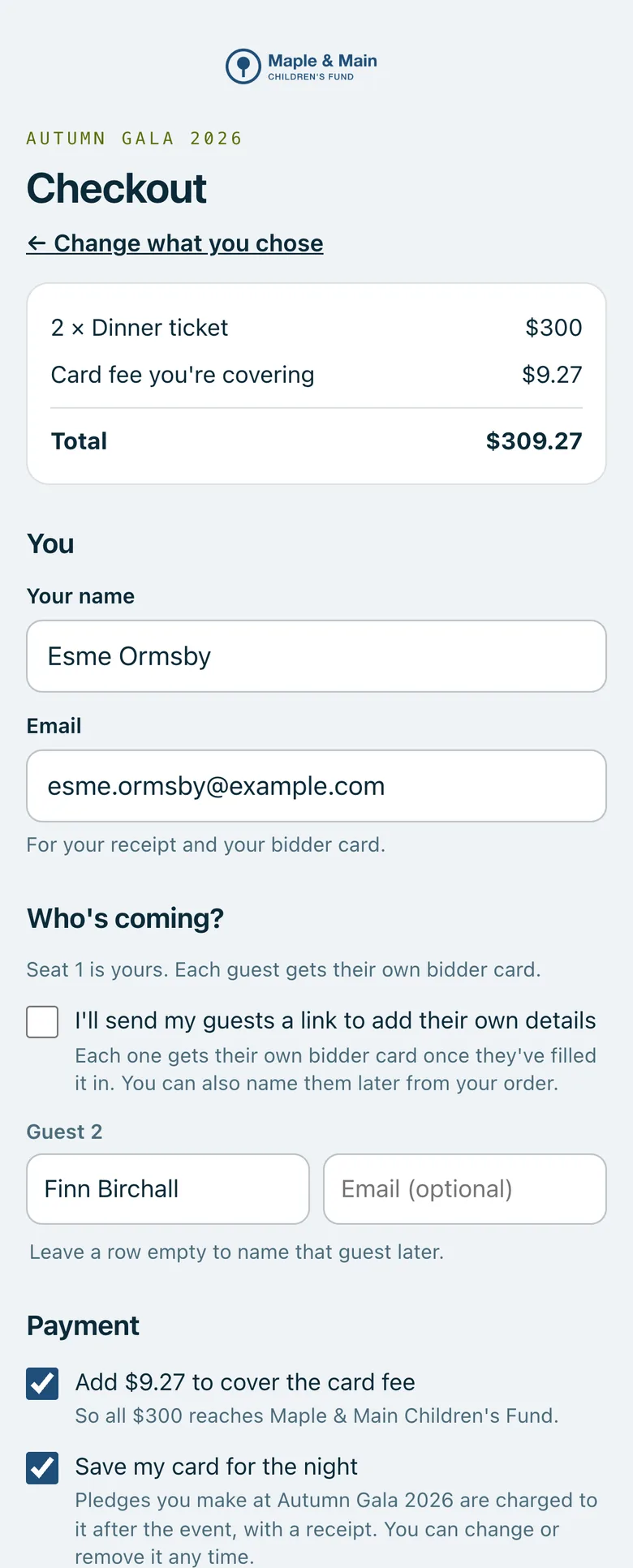
A ticket checkout on a phone in the organisation's colours, with the guests, the box to cover the card fee and Save my card for the night.
Real screenshots of Paddlit, taken with a made-up organisation, Maple & Main Children's Fund.
Where your brand appears
Guest pages: each guest's own page, and every page where they buy, give or pay, with your logo at the top and your colours.
Wallet cards: your name, logo and colours in Apple Wallet and Google Wallet. Change your logo or colours and cards already on phones update.
Emails: your name as the sender, your logo, your colours on the buttons, and replies going to your own address.
The big screen: your logo and a palette made from your colours.
The screens your volunteers use keep Paddlit's own colours, so they always look the same to the people working.
Setting it up
Your logo is the first thing you add when you sign up: PNG, SVG, JPEG or WebP, at least 600 pixels wide. Paddlit checks it, makes a white version and a version for name stickers, and suggests your main colour from it. Then choose your two colours, with a check that text on them stays readable and a preview of a wallet card and an email.
No accounts, no apps
Guests use a link that's theirs, and their phone's own wallet. Payments happen inside your page, with Apple Pay, Google Pay or a card, so nobody is sent off to another website to pay.
Paddlit's name
Guest pages say "Powered by Paddlit" at the bottom, except on plans without Paddlit branding. Emails always end with a short line saying they were sent by Paddlit for your organisation. On plans with your own email address, they can come from your own domain.
In practice
How it plays out
A guest's evening, start to finish
A guest gets an email from your organisation, with your logo, and opens their own page in your colours.
They add their bidder card to Apple Wallet: your name and logo, in your colours.
At the gala, your logo is on the big screen beside the total.
See your next fundraising night on Paddlit
Sign-ups open soon. Book a demo and we'll show you around.