Every guest's card, sent by email and text, with reminders
Paddlit sends each guest a link to their own bidder card, by email and, if they've agreed, by text from your organisation's own number. Send them as guests are added, all at once or one at a time, let reminders go out by themselves, and see who has opened their email and added their card.
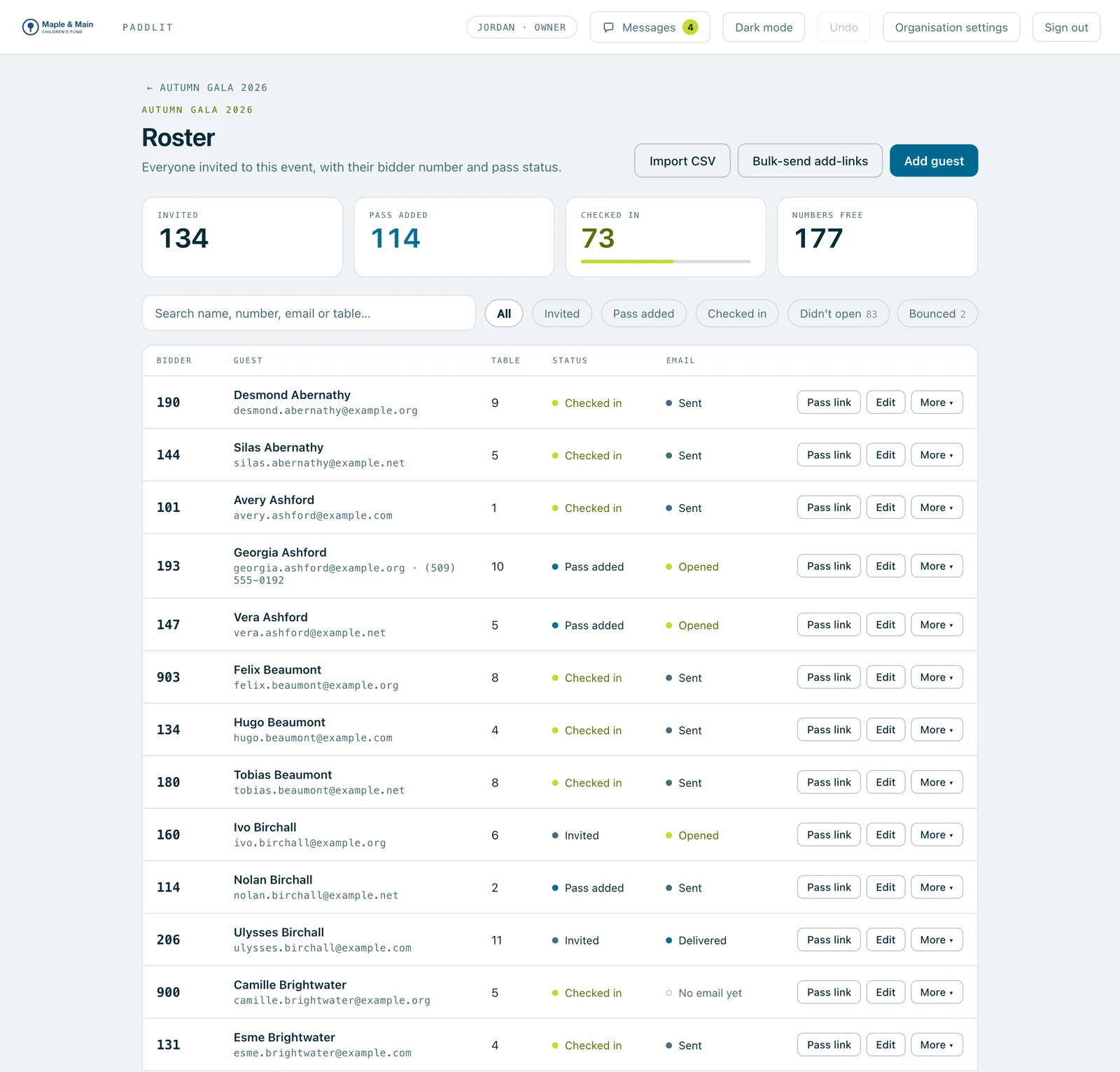
The guest list: how many were invited, added their card and checked in, filters for who didn't open their email or whose email bounced, and each guest's email status.
Real screenshots of Paddlit, taken with a made-up organisation, Maple & Main Children's Fund.
Sending the cards
For each event, choose when the first link goes:
As each guest is added (the usual way).
On a set day, to everyone who hasn't added their card, from 9am in the event's time zone.
Only when you send them.
Nothing goes out while an event is still a draft or after it's closed.
Managers and owners can send to everyone at once: to those who haven't been sent theirs, or to everyone who hasn't added their card yet. Before anything goes, a preview says exactly how many will get it and how many can't be reached. Door volunteers, managers and owners can send one guest their link from the guest list. Importing a guest list from a spreadsheet can send the links too.
Reminders that go by themselves
Reminders go only to guests who haven't added their card yet:
A few days before, from 10am. Three days is the default, and you can choose up to 30.
On the morning of the event, between 8am and 4pm. On unless you switch it off.
Each guest gets at most one of each a day. Someone still waiting for a table, or with no way to reach them, is skipped and picked up once they can be.
Texts from your own number
An owner picks a local number for your organisation by area code, and Paddlit registers it with the US mobile carriers. Until they approve it, everything goes by email. Each text starts with your organisation's name, says which event the card is for and when, gives the link and ends with "Reply STOP to opt out."
A guest gets texts only when the event sends texts, they've agreed to them, they haven't replied STOP and their number isn't a landline. A guest who replies STOP gets no more texts from your organisation, and START brings them back. Texting is charged by use; the prices are on the plans.
Who opened, who clicked, who has their card
Managers and owners see, for every guest, what happened to their latest email: sent, delivered, opened, clicked, bounced or marked as spam, with the full history behind it. The guest list can show only those who didn't open or whose email bounced, and each send to many guests is summed up, such as "4 sent · 3 delivered · 2 opened · 1 clicked · 1 bounced". Opens are approximate, and the screen says so.
If an address bounces for good or marks you as spam, Paddlit stops emailing it for your organisation until someone says it's been fixed.
The guest list and the door both show how many guests have added their card, and the list can be filtered to those who haven't.
From you, not from us
Emails carry your organisation's name, and replies go to your own address. On plans with your own email address, they come from it too.
In practice
How it plays out
The three weeks before a gala
For example, a manager imports 280 guests from a spreadsheet and ticks the box to send their cards.
Three days before the event, guests who still haven't added their card get a reminder by themselves.
On the morning of the gala, the morning reminder goes to anyone still missing.
The manager filters the guest list to "Didn't open" and calls the few who haven't seen it.
A guest who'd rather not get texts
A guest replies STOP to your number.
They're told they won't get any more texts from your organisation, and anything already waiting to go to them doesn't send.
Their emails carry on as normal.
See your next fundraising night on Paddlit
Sign-ups open soon. Book a demo and we'll show you around.