When the paddles go up, your volunteers find the guest, tap an amount and lock it in, on whatever phone, tablet or laptop they have. Each pledge is under the name of the volunteer who took it, and the total on the big screen counts up the moment it's locked in.
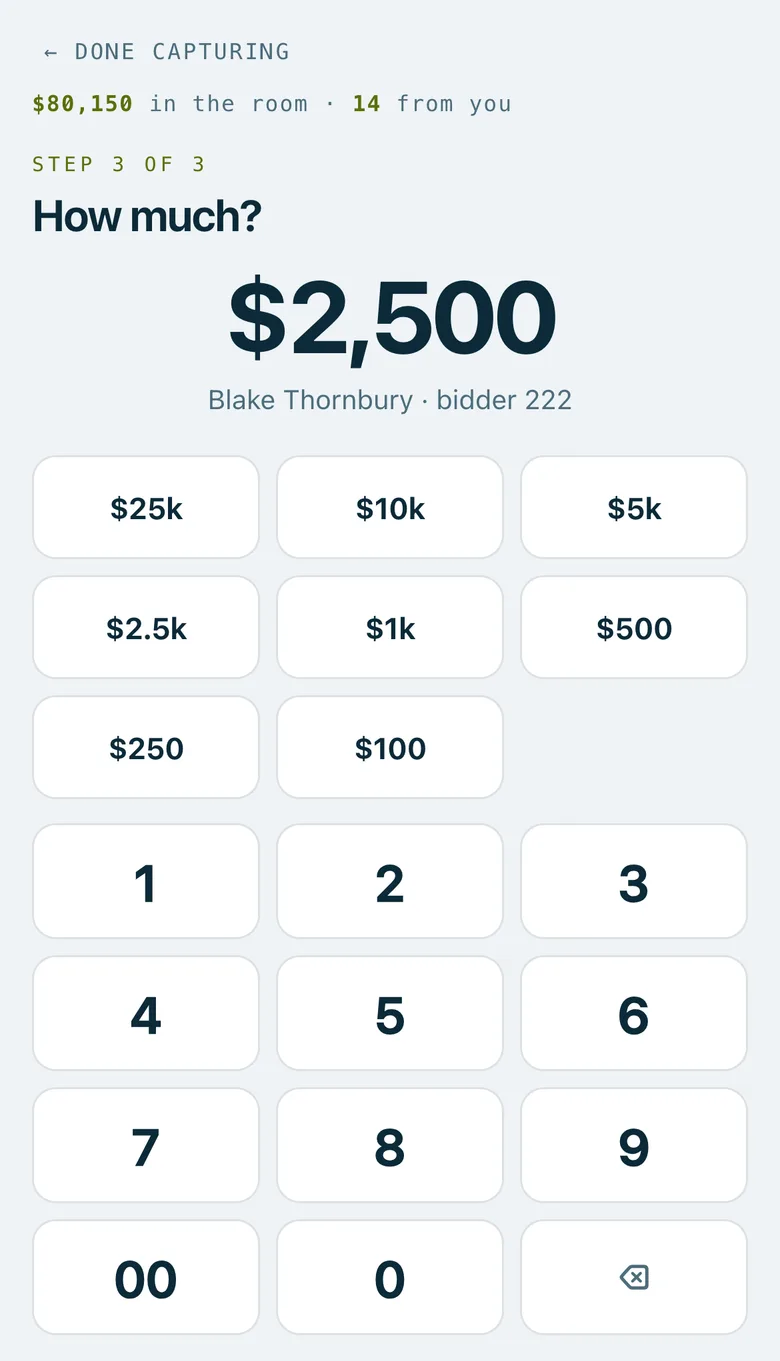
A collector's phone at step 3 of 3, How much?, with $2,500 chosen, the preset amounts and the keypad.
Real screenshots of Paddlit, taken with a made-up organisation, Maple & Main Children's Fund.
Three steps
Find the guest. Scan the code on their wallet card with the device's camera, or search by name or bidder number. Recent guests are a tap away.
Is this the right person? The screen shows their number, name and table, and how many pledges they've made tonight.
How much? Tap one of your preset amounts, or type any whole-dollar amount on the keypad. On a laptop, the keyboard works too.
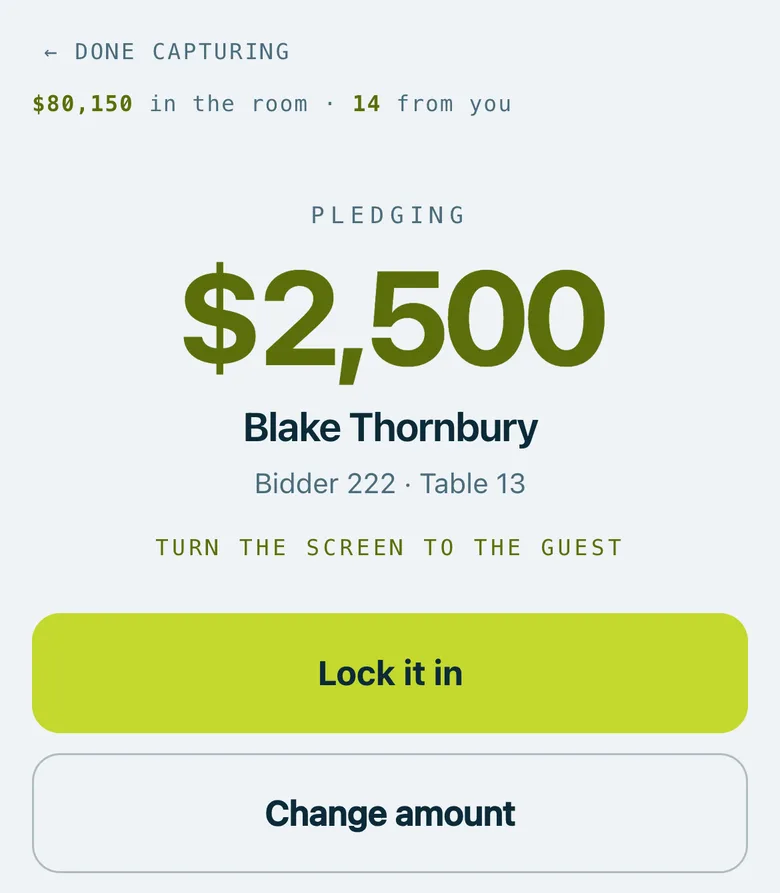
Then the volunteer turns the screen to the guest, who sees the amount in large type with their name, number and table. One more tap locks it in, and the screen is ready for the next paddle.
Preset amounts
Each event has up to 16 preset amounts. They start at $25,000, $10,000, $5,000, $2,500, $1,000, $500, $250 and $100, and managers can change them. Your organisation can keep its own set for every new event.
Mistakes caught early
A possible double tap. If the same guest has made a pledge in the last few minutes (six by default), the volunteer is warned before taking another: "Possible double tap…". Another collector's amount isn't shown, just that they took a pledge.
An extra zero. Above an amount you choose ($50,000 to begin with), the confirm screen warns that the amount is unusually large.
A shaky connection. Each pledge carries its own key, so tapping Lock it in again after an error never records it twice.
Changing and cancelling
Managers and owners can change, void or restore any pledge, from the pledge list or the guest's bidder card, and their changes can be undone. You can let collectors change or void their own pledges too; that's off unless you switch it on. A voided pledge stays on the list, struck through, under the name of whoever took it.
Who sees what
Collectors see their own pledges and total, and the total raised in the room. On a guest's card they see that someone else took a pledge, never how much.
Managers and owners see every pledge, the total, the average, what's been voided and how close you are to your goal, and can download every pledge as a spreadsheet.
Door volunteers don't take pledges and never see them.
Pledges are taken while the event is live, in whole dollars. After the night they can be collected by card (see collecting pledges).
The confirm screen turned to the guest: $2,500, their name, bidder number and table, and Lock it in.
In practice
How it plays out
The auctioneer calls $1,000
A collector scans the code on the guest's phone, or types their bidder number.
They check the name with the guest, tap $1,000 and turn the screen to them.
The guest sees their name and $1,000. The collector taps Lock it in, and the big screen counts up.
Two collectors, one paddle
Three minutes after one collector took a pledge from a guest, a second collector reaches the same guest.
The screen warns of a possible double tap: another collector took a pledge from this guest three minutes ago.
The second collector checks with the guest before taking another.
See your next fundraising night on Paddlit
Sign-ups open soon. Book a demo and we'll show you around.