Each event can have its own donation page, in your colours. Put its code on the big screen and on table cards, or let people text a word to your number, and anyone can give in seconds with Apple Pay, Google Pay or a card, from the room or from home while the event is open. Each gift can join the total on the big screen as it arrives.
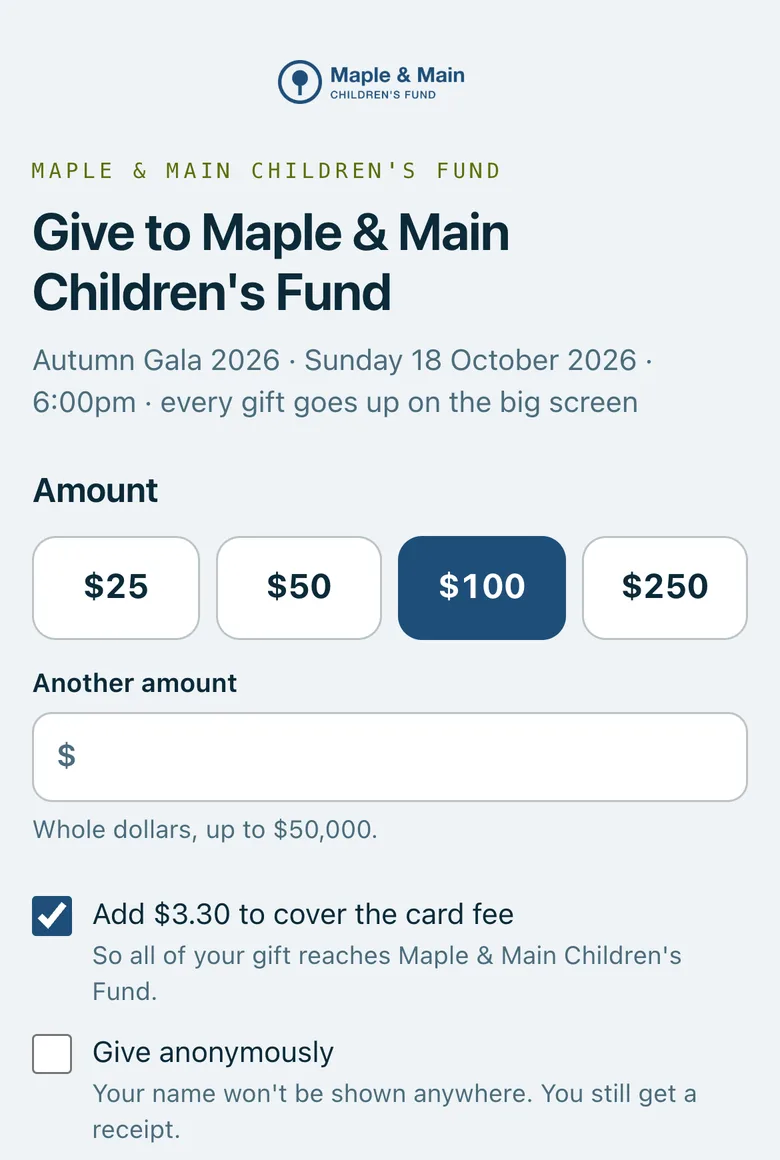
The donation page on a phone: suggested amounts, another amount, the box to cover the card fee and the option to give anonymously.
Real screenshots of Paddlit, taken with a made-up organisation, Maple & Main Children's Fund.
Setting it up
Giving is switched on event by event, by a manager or owner, once your organisation can take card payments. On the event's Giving screen you choose:
Suggested amounts: up to four, starting at $25, $50, $100 and $250.
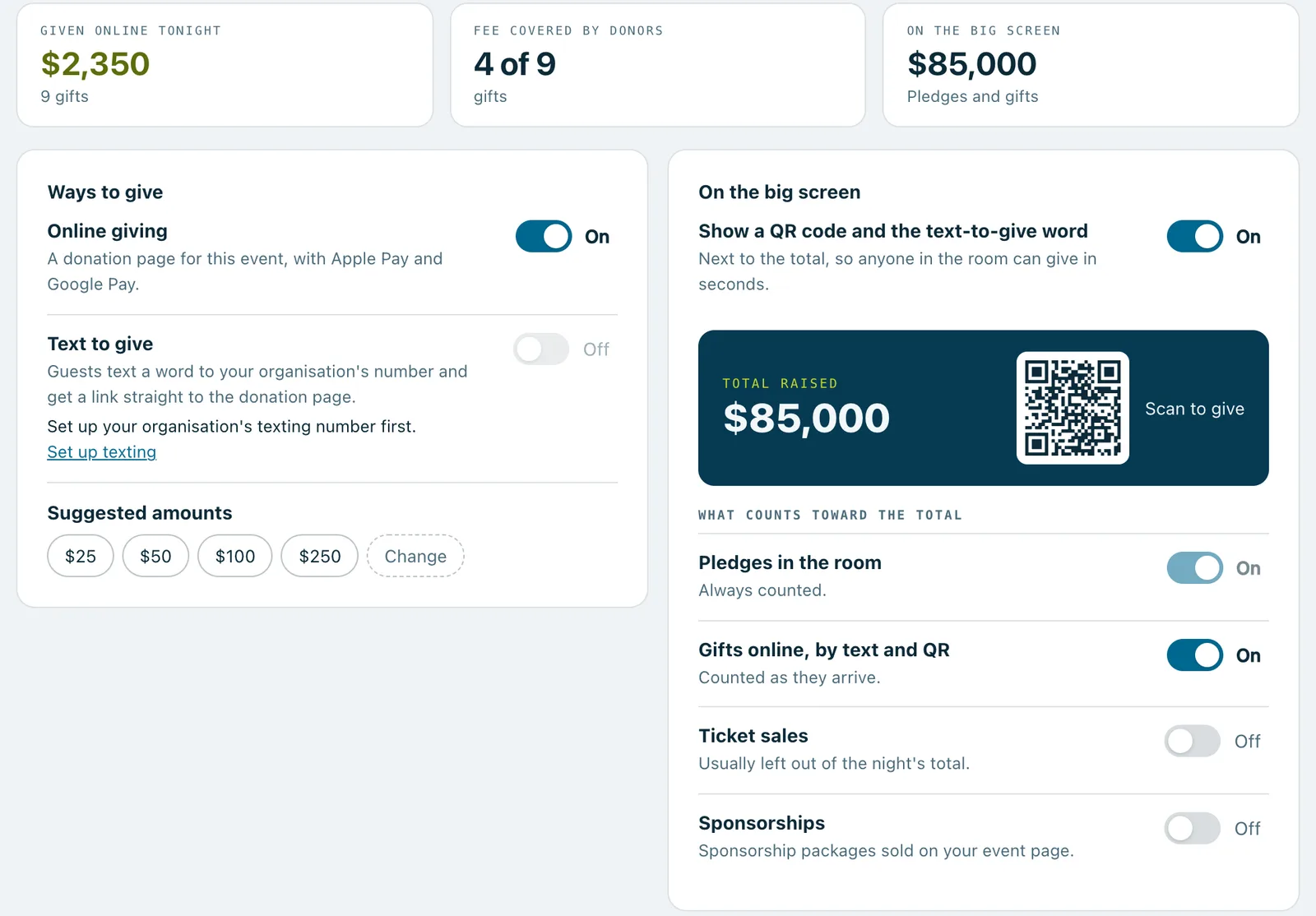
The code on the big screen: on to begin with.
What counts toward the big-screen total: gifts to begin with, and if you like, ticket and sponsorship sales. Pledges always count.
Every change can be undone straight after.
The donation page
Donors pick a suggested amount or type their own, in whole dollars up to $50,000, and can tick a box to cover the card fee if you offer it. They can give anonymously, and they enter their name and email for the receipt. Then they pay with Apple Pay or Google Pay where their phone offers it, or with a card.
Afterwards they see a thank-you with how much they've just added to the night's total, and a receipt is on its way. For nonprofits whose status is confirmed in Paddlit, the page shows the tax-deductible amount.
The page takes gifts while the event is open or live. Before that it says it isn't open yet, and afterwards that the event has finished.
Codes for the big screen and table cards
The donation page's code can sit next to the total on the big screen. For tables, download a print-ready card (4 × 5.5 inches) with your organisation's name, "Scan to give", the code, the event's name and the page's short address, and print as many as you need.
Each gift records how it arrived: the big screen, a table card, the donation page, the event page or a text.
Text to give
On plans with texting, guests can text a word to your organisation's own number and get a link to the donation page straight back. The word is GIVE unless you choose another: one word of 2 to 12 letters or digits, and never one the carriers reserve, such as STOP or HELP. Two events that are both coming up can't use the same word.
The first time your organisation switches text to give on, it's added to your texting registration with the mobile carriers. If that registration has already been approved, that's a one-off charge, shown before you confirm. After that it's free to switch on and off for any event; reply texts are charged like any other.
Anonymous gifts
When a donor gives anonymously, their name isn't shown anywhere public: the big screen says Anonymous. Your team still sees who gave, and the donor still gets a receipt.
Refunds and receipts
Your team can send a receipt again, or refund a gift in full straight back to the card. A refunded gift comes off the big-screen total.
The Giving screen: what was given online tonight, the switches for online giving and the code on the big screen, and what counts toward the total.
In practice
How it plays out
The appeal
The code and "or text GIVE" with your number sit next to the total on the big screen.
A guest scans it, picks $100 and pays with Apple Pay.
The total counts up, and because they ticked anonymous, the screen says Anonymous rather than their name.
A supporter who couldn't come
During the event, a supporter at home texts GIVE to your number and gets the link back.
They give $50 and cover the card fee.
Their gift joins the night's total, and their receipt arrives by email.
Table cards
A week before, the organiser downloads the table card and prints one for each table.
On the night, gifts made from those cards show on the Giving screen as given from a table card, so you can see whether they were worth printing.
See your next fundraising night on Paddlit
Sign-ups open soon. Book a demo and we'll show you around.