Your door volunteers find a guest by typing a few letters of their name, the start of their bidder number or their table, and check them in with one tap. Walk-ups are added on the spot with a number of their own, and every screen at the door counts the same guests as they arrive.
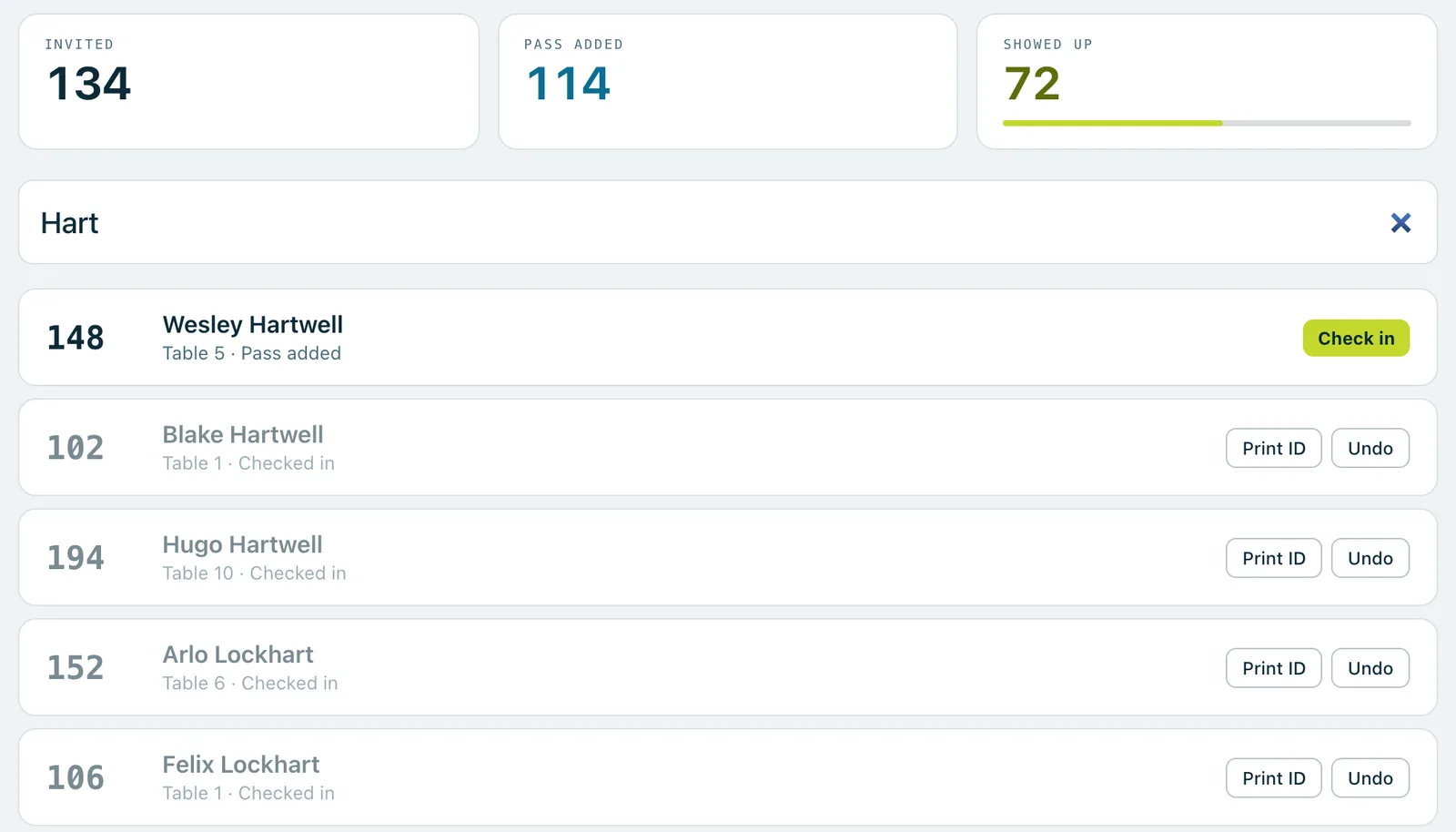
The door screen: live counts of invited, pass added and showed up, and a search for Hart with one guest to check in and others already checked in.
Real screenshots of Paddlit, taken with a made-up organisation, Maple & Main Children's Fund.
Finding a guest
The search box is ready the moment the screen opens, and pressing / anywhere jumps back to it. As the volunteer types, the list shows guests whose name contains what they typed, whose bidder number starts with it, or who sit at that table. Up to 20 match at once, with people already checked in at the bottom. Enter checks in the top match and Esc clears the search.
Before anyone searches, the screen shows the last few check-ins and a short note worth reading before the rush: how many guests haven't added their card, and how many walk-up numbers are left, with a nudge to tell a manager when they're running low.
Checking someone in
One tap, then a quick confirm. By default the screen asks "Check in Alice Whitfield?" and shows the bidder number they'll have. You can switch the confirm off for an event.
A number if they need one. A guest without a bidder number is given the next free one in your range, and the card in their phone wallet updates to show it.
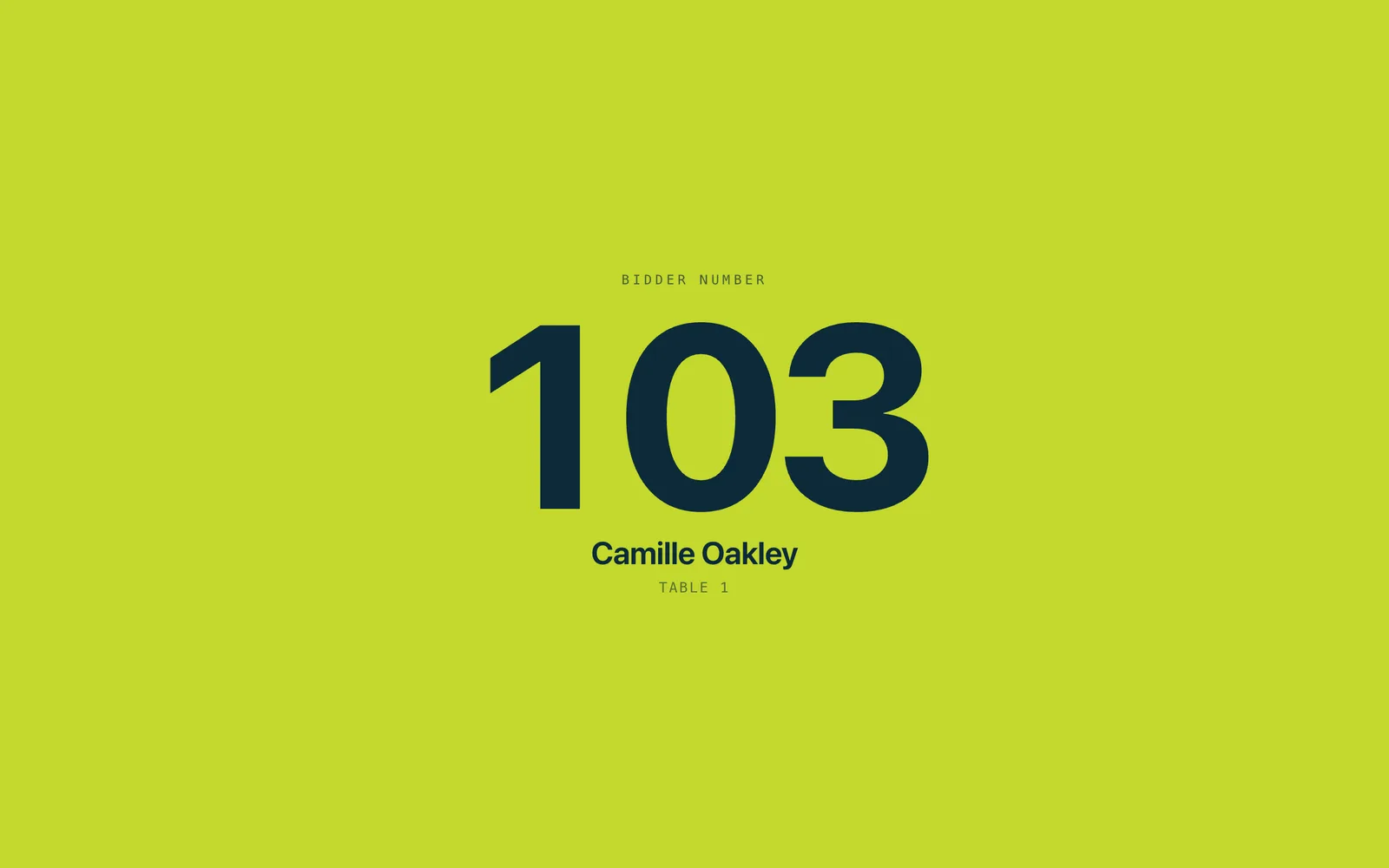
The number, big. The screen fills with their bidder number, name and table, so the volunteer can read it out.
Undo. Checked in the wrong person? Undo straight away, or reverse the check-in from their row. A number handed out at the door goes back to the pool.
Check-in opens when the event goes live. Until then the door can search, with a note saying so.
Walk-ups
If a search finds nobody, the screen offers to add that name as a walk-up. The volunteer types first and last name, an email address if they have one, and a table if the event uses tables. The walk-up is checked in at once with a number from your walk-up block, 900 to 949 unless you choose another.
Walk-ups never count against your plan's guest limit.
Several screens at once
Any number of phones, tablets or laptops can work the door together. The counts at the top (Invited, Pass added and Showed up, with how far along you are) update live on every screen. Two screens can never hand out the same number, and if two volunteers reach the same guest, the second is told they're already checked in.
On a shared tablet, volunteers hand over at shift change with their own PIN, so everyone's check-ins are under their own name.
Name stickers
On plans with name stickers, the door can print one for each guest: "Print ID" on their row, or automatically at every check-in. Each shows the event, your logo if you choose, a large bidder number, the guest's name, their table, and the same code as their wallet card. Walk-ups and reprints are marked.
Stickers print on Zebra label printers, 4 × 2 inch stickers or 1 × 10 inch wristbands, from a Mac, a Windows laptop or an Android tablet running Zebra Browser Print. iPads and iPhones can't print labels, and the screen says so. Before and after printing, Paddlit checks the printer and says plainly if it's out of labels or its lid is open, and it never says a sticker printed when nothing came out.
What the door sees
Door volunteers see names, bidder numbers, tables, who has added their card and who has arrived. They never see email addresses, phone numbers or what anyone pledged.
They can see whether a guest has a card on file and help them update it.
After a check-in, the screen fills with the guest's bidder number, name and table.
In practice
How it plays out
A guest arrives without a ticket
The volunteer types the guest's name and nothing matches.
They tap "Add as a walk-up", type the name and the table, and confirm.
The guest is checked in straight away with number 900, the first in the walk-up block, and the screen shows it big enough to read out.
Two tablets reach the same guest
The line splits, and a couple is searched for on both tablets at once.
The first volunteer checks them in.
The second volunteer is told they're already checked in, and the Showed up count on both screens has gone up by one.
A guest on the list without a number
A guest who was added late has no bidder number yet.
At check-in they're given the next free number in the range.
The card in their phone wallet updates to show it before they reach the bar.
See your next fundraising night on Paddlit
Sign-ups open soon. Book a demo and we'll show you around.