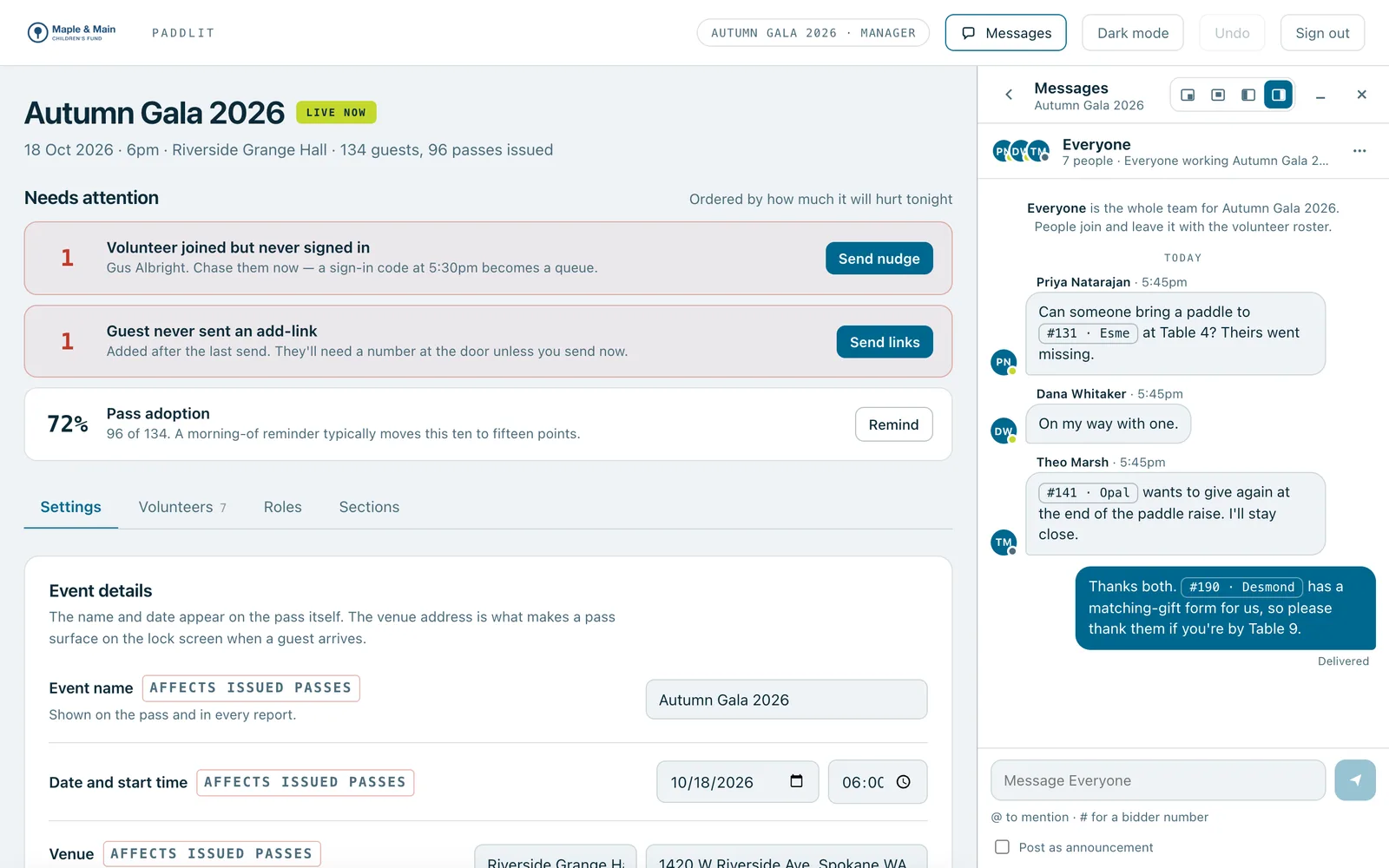
Your volunteers talk to each other inside the app they're already using: a chat for each team, direct messages, and announcements that stay pinned. Type a bidder number like #143 and anyone can tap it to see that guest's card, showing only what their job lets them see.
Staff chat open beside the event's screen, with bidder numbers as chips in the Everyone chat.
Real screenshots of Paddlit, taken with a made-up organisation, Maple & Main Children's Fund.
Chats that set themselves up
Every event gets four team chats: Everyone, Door team, Collectors and Managers. Volunteers are in the ones that match their roles, managers are in all the team chats, and nobody has to add anyone. Team chats can be muted but not left.
Anyone can message someone else on the same event directly, or start a group. Adding people to a direct message starts a new group, so the original stays private, and you choose how much of the history the new people see: none, the last 24 hours, or all of it.
Announcements
Managers and owners can post a message in a team chat as an announcement. It stays pinned at the top until they take it down.
Guests one tap away
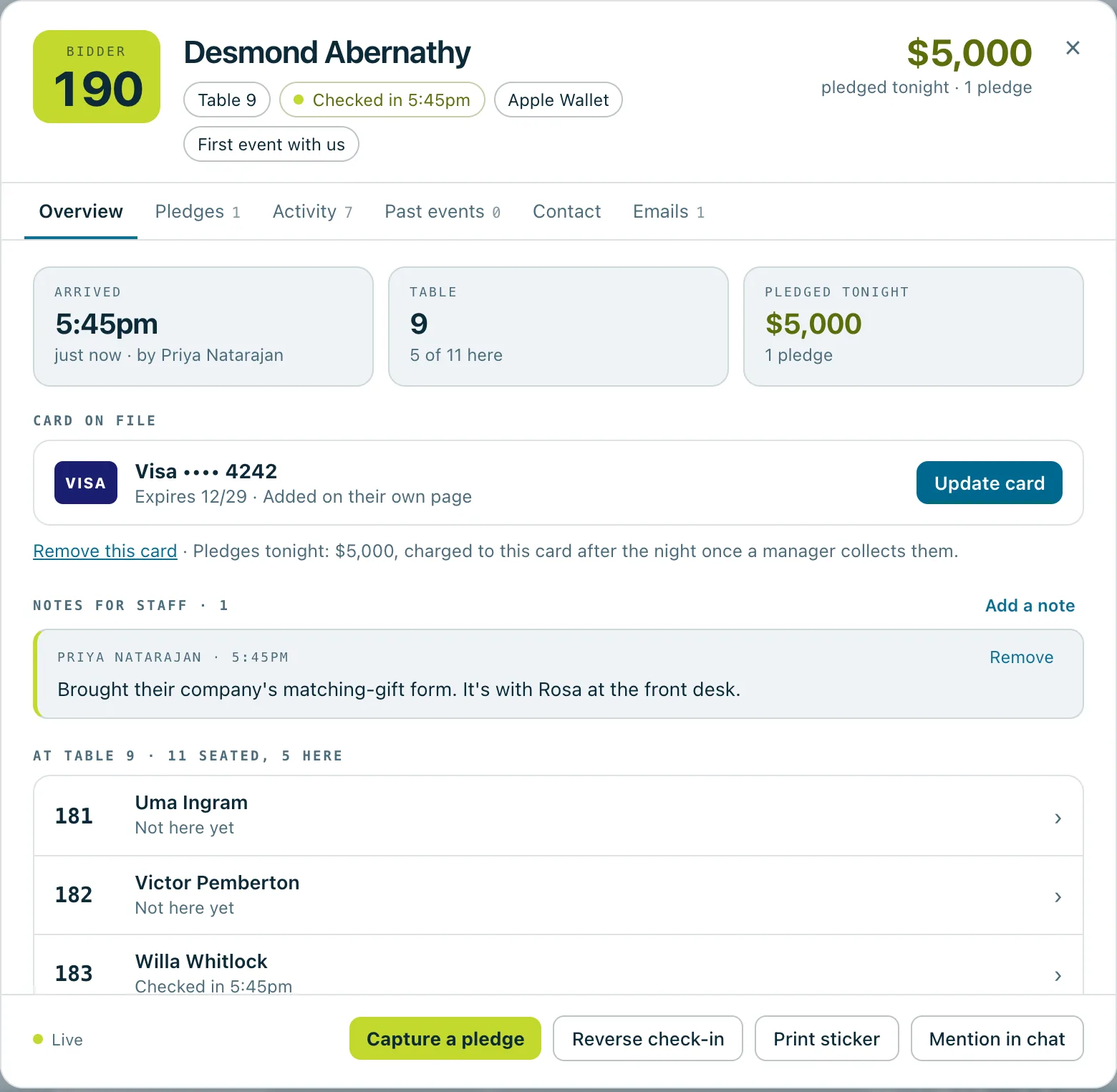
Type # and a bidder number, and it becomes a chip with the guest's first name. Tap it and the guest's card opens. If nobody has that number, Paddlit suggests the closest ones.
Door volunteers see the guest's table, who they're sitting with, when they arrived and whether they've added their card. Never pledges.
Collectors see their own pledges from that guest in full, and that others took pledges, without the amounts.
Managers and owners see everything, including every pledge and the guest's contact details.
Type @ and a name to mention someone in the conversation.
Built for a busy room
Who's read what, who's typing, and who's on shift.
Pop-up alerts for new messages, with each chat set to everything, only mentions, or nothing.
If the connection drops, messages sent meanwhile go as soon as it's back.
Delete your own message, with Undo.
Messages can't be edited once sent, and photos can't be shared. Volunteers who are removed from the event lose access at once.
Kept only as long as needed
An event's chat is deleted 90 days after the event. Groups and direct messages that aren't part of an event keep a year of messages.
A guest's card opened from a #190 mention: their table, when they arrived, their card on file, a note for staff and who they're sitting with.
In practice
How it plays out
A guest says they've already pledged
A collector writes in Everyone: "Can you check #143? Says they already pledged."
A manager taps #143 and sees every pledge on the guest's card, with who took it.
The collector who asked sees only their own, and that another collector took one.
The door needs a table
A door volunteer writes "#901 needs a table" in Door team.
A manager taps the number, opens the walk-up's card and gives them a table.
Five minutes to the appeal
A manager posts "Appeal starts in 5 minutes" in Everyone as an announcement.
It stays pinned at the top of everyone's chat until the manager takes it down.
See your next fundraising night on Paddlit
Sign-ups open soon. Book a demo and we'll show you around.