The Paddlit app, for the people working your event
Your volunteers work the night from the Paddlit app, on their own phone or on a shared iPad at the door. Collectors take pledges, the door checks guests in, and managers keep an eye on both. Everyone talks in the same team chat as the website, with alerts for the messages that matter. Coming soon to the App Store and Google Play.
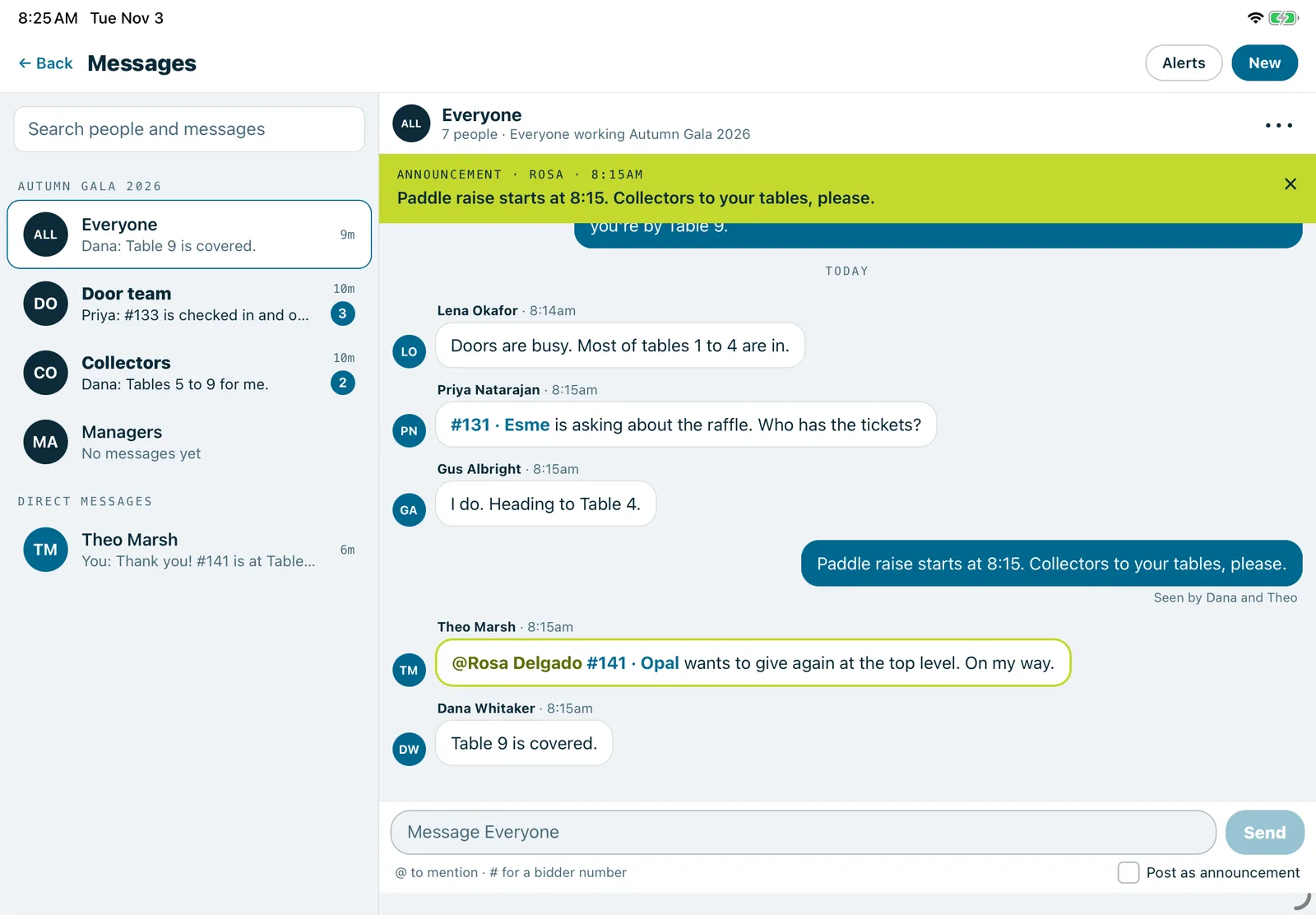
The app on an iPad: the event's team chats and a direct message beside the Everyone chat, with an announcement pinned at the top.
Real screenshots of Paddlit, taken with a made-up organisation, Maple & Main Children's Fund.
Signing in
There's no password. Volunteers sign in with a six-digit code sent by email, or by text to a phone their account has proved. Someone working more than one event or role picks the one they're on tonight.
On a shared phone or iPad, the next volunteer taps Switch volunteer. Anyone who chose a four-digit PIN gets back in with it, instead of waiting for another code.
Pledges in three steps
Find the guest. Scan the pass on their phone, or search by name or bidder number.
Check it's them. The app shows their name and table to read out before any amount is taken.
How much. The event's own amounts are buttons, and a keypad takes anything else.
The collector then turns the screen to the guest, with the amount and their name. Once it's locked in, the screen fills with the amount so the guest can see it from across the table. If the same guest was just given a pledge, the app says so first, so a double tap doesn't count twice.
At the door
Door volunteers see how many guests were invited, have added their pass and have arrived. They find guests by name or number, check them in, and undo a mistake from the most recent check-ins.
To put a card on file, a guest scans a code with their own phone and adds a card, Apple Pay or Google Pay on their own page. Their page can also be opened on the volunteer's device to hand over, or sent to them as a link by text and email. Card numbers are never typed into the Paddlit app itself.
Every guest one tap away
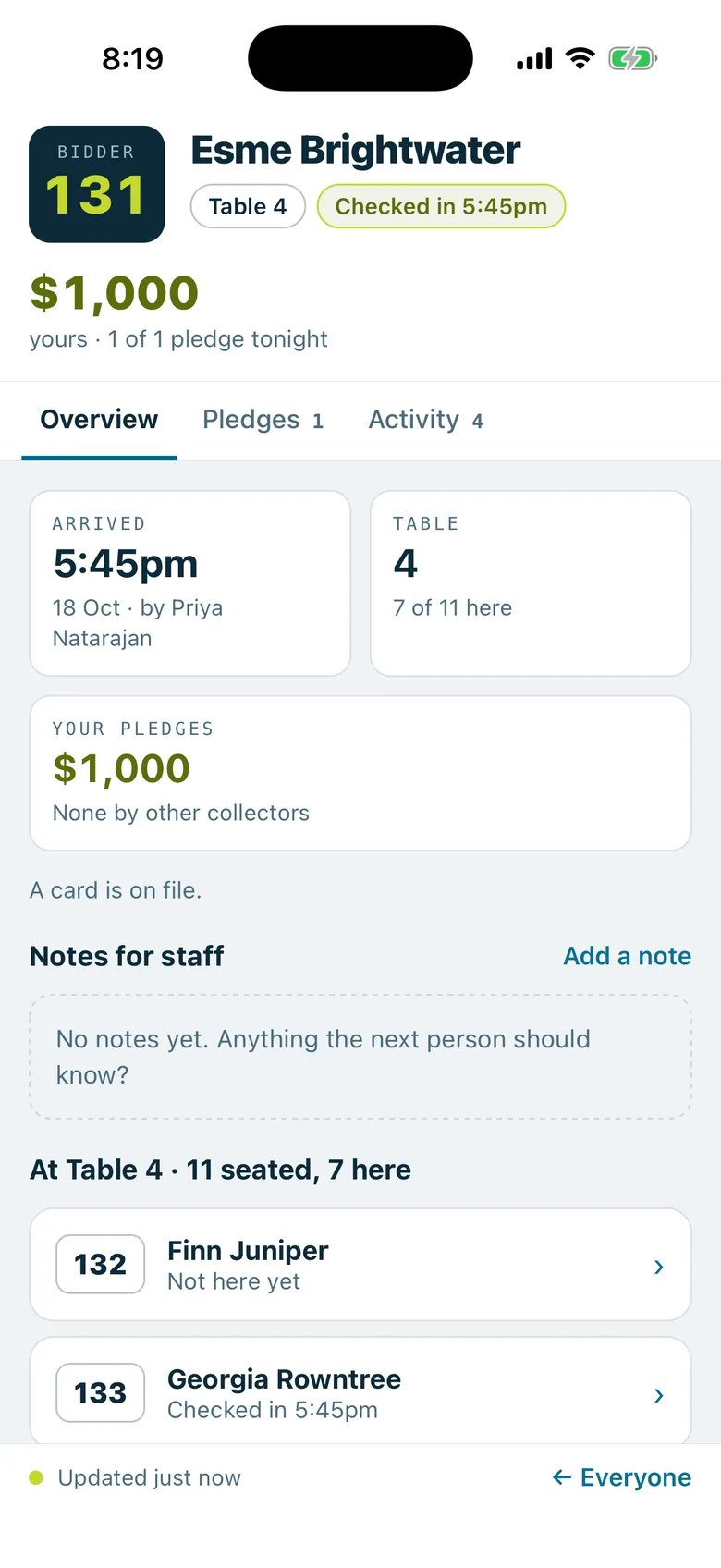
A bidder number in a chat message opens that guest's card: their table, when they arrived, notes for staff and who they're sitting with. Each volunteer sees what their job lets them see, just as on the website.
Your team's chat, in your pocket
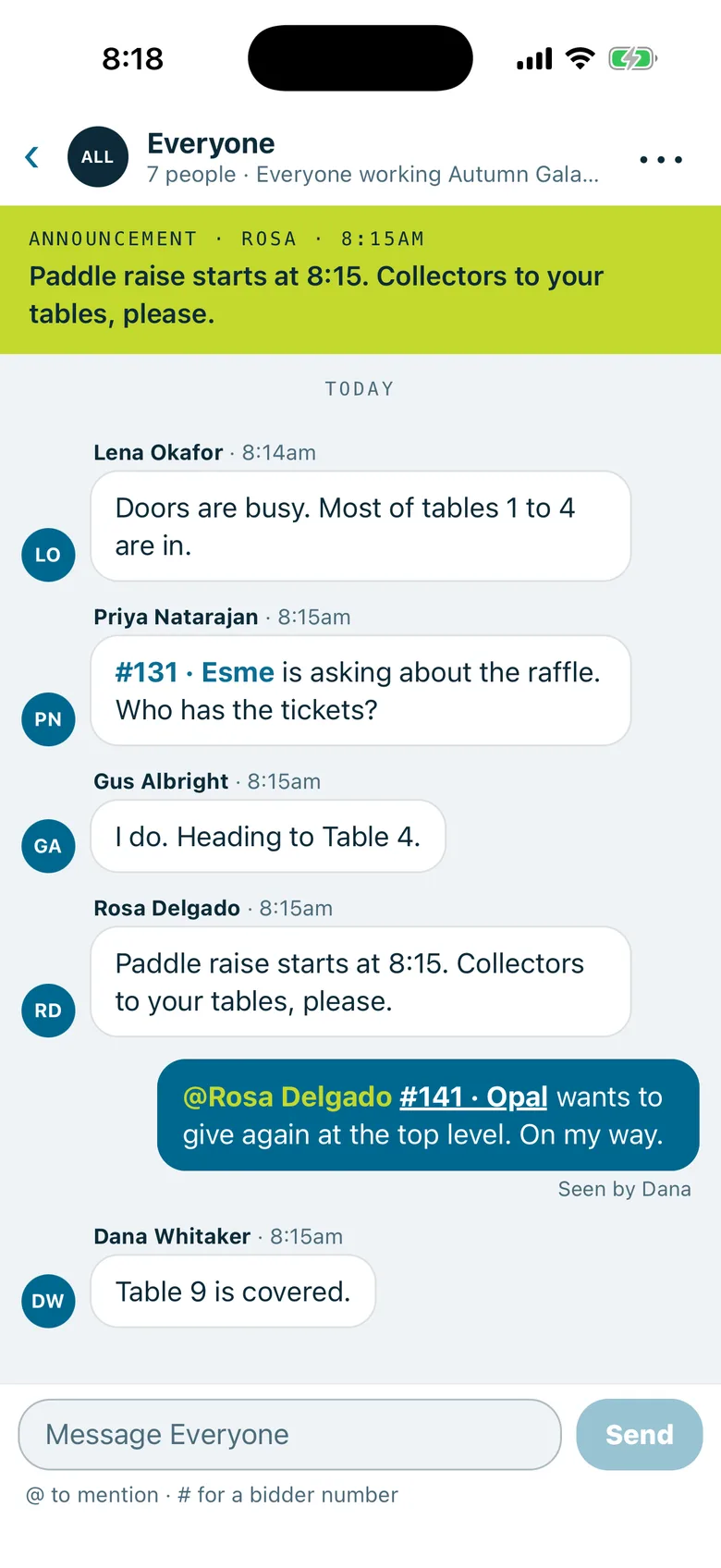
The same chats as the website: one for each team, direct messages, groups, and announcements that stay pinned at the top. Type @ to mention someone and # with a bidder number to point at a guest. You see who has read your last message and who's typing.
Each conversation can be set to every message, only @mentions, or nothing. Messages are there when your plan includes staff chat.
Alerts
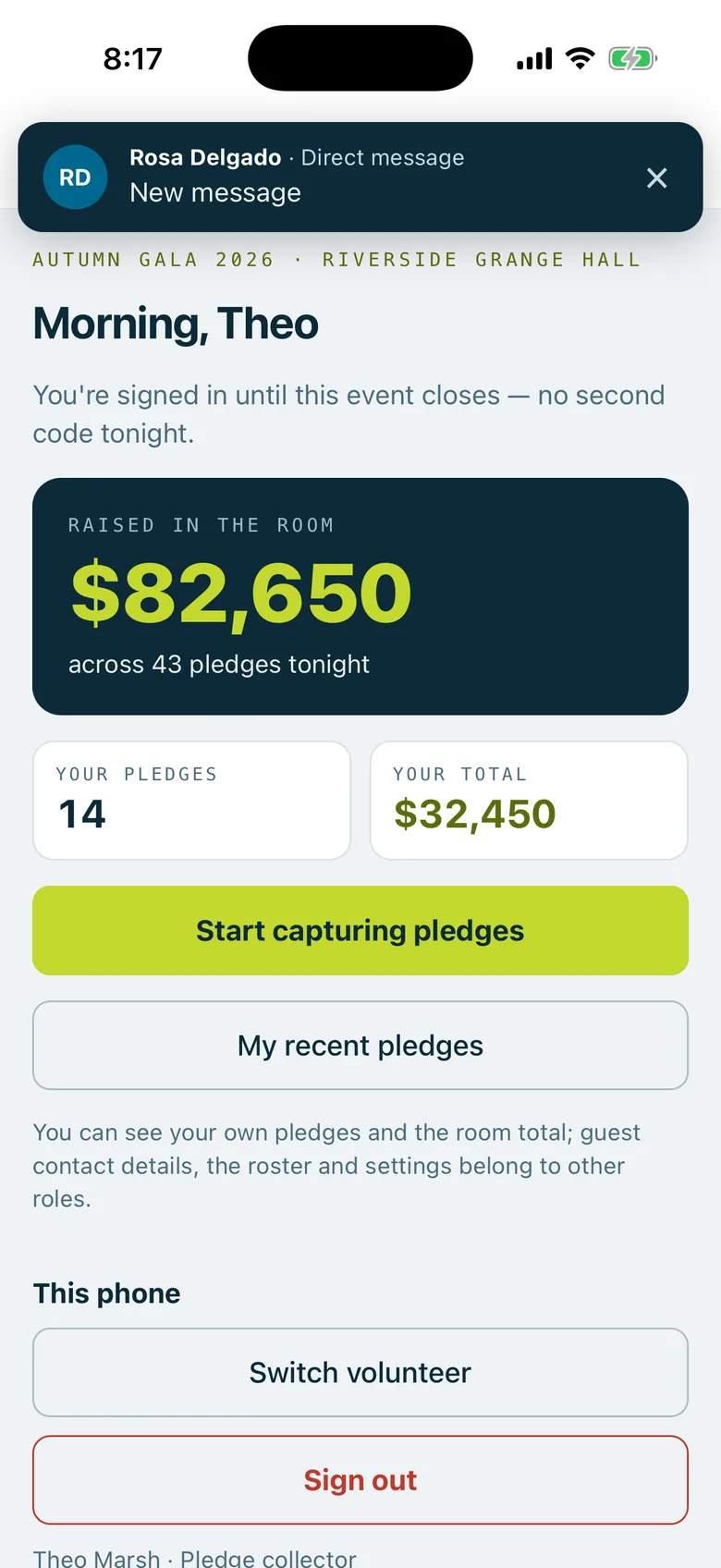
While the app is open, a new message slides in at the top, with a short buzz for direct messages, @mentions and announcements.
Outside the app, direct messages, @mentions and announcements arrive like any other alert on the phone.
Do not disturb holds them back for an hour or until tomorrow. Announcements still come through.
Message text stays out of alerts on shared check-in phones, so the next volunteer doesn't read yours. Each person can change it.
Alerts follow the person, not the phone. When someone switches volunteer or signs out, the phone stops alerting the person before.
Made for the iPad too
On an iPad, the conversations sit beside the one you're reading, and the screen turns either way for a door station on a stand.
What stays on the website
Settings, volunteers, numbers, reports and the rest of running an event stay on the website. Managers have a link to open the event there. Owners pick any of their events and get the same screens a manager has.
The Everyone chat on a phone: bidder numbers shown with the guest's first name, an @mention, and who has seen the last message.A direct message from a manager arriving on a shared phone, which shows who it's from but not the text, over the room's total.A guest's card opened by tapping #131 in the chat: their table, when they arrived, the collector's own pledge and the people at their table.
In practice
How it plays out
The paddle raise
A manager posts "Paddle raise starts at 8:15" in Everyone as an announcement.
Every phone gets it, even where that chat is muted, and it stays pinned at the top.
A collector finds #141, taps $2,500, turns the screen to the guest and locks it in. The room's total goes up on every phone.
A shared iPad at the door
A door volunteer checks guests in on the welcome table's iPad, then hands over for a break.
The next volunteer taps Switch volunteer and enters their PIN.
The first volunteer's conversations and alerts leave the iPad with them.
A question about a guest
A door volunteer writes "#131 is asking about the raffle" in Everyone.
A collector taps #131, sees the guest's table, and heads over.
See your next fundraising night on Paddlit
Sign-ups open soon. Book a demo and we'll show you around.